 Adventure Engine
 BassSanctum
 Cataclysm DeDust
 EpicQuest Dungeoning
 EpicQuest Hub
 EventMaker
 Leylines
 Spell Codex
 Spell Codex Ars Compat
 SpellActionbar
 Structure Encyclopedia
 TikFiniTok
 SC Final Adventure
 SC Final Adventure - Arcana
 SC Final Adventure - Machines
 SC Final Adventure - Mechanical Genesis
HUD and hotkeys
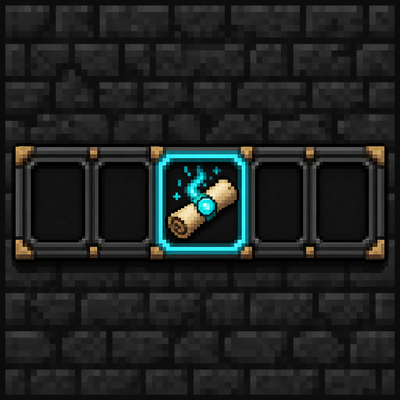
The action bar sits just above your hotbar. Iron’s own spell bar and mana overlay are turned off so you don’t get two bars stacked on top of each other.
Each slot is a picture of the spell. A cooldown wipe plays over the icon after you cast. If you cannot afford the mana, the icon goes dull. That’s your cue to wait, not mash.
Key labels are short on purpose. Q is Q. s1 is a slot bind. cR is a combo bind. Change them in vanilla Controls and the HUD follows.
The mana bar belongs to this HUD. It is not Iron’s default one. You can drag it in Edit HUD if you run Codex, or through the Actionbar offset settings if another addon exposes them.
Select-and-cast is there if you want it: highlight a filled slot, then fire Iron’s “cast selected” key (default V). Mouse wheel plus Iron’s scroll modifier (default Left Alt) walks filled slots. Quick-cast still works the same way it always did.
If the whole HUD is gone, you probably have no spell equipped. Equip one and it comes back. Codex does the same thing until the first spell is on the bar.